Understanding Checklists
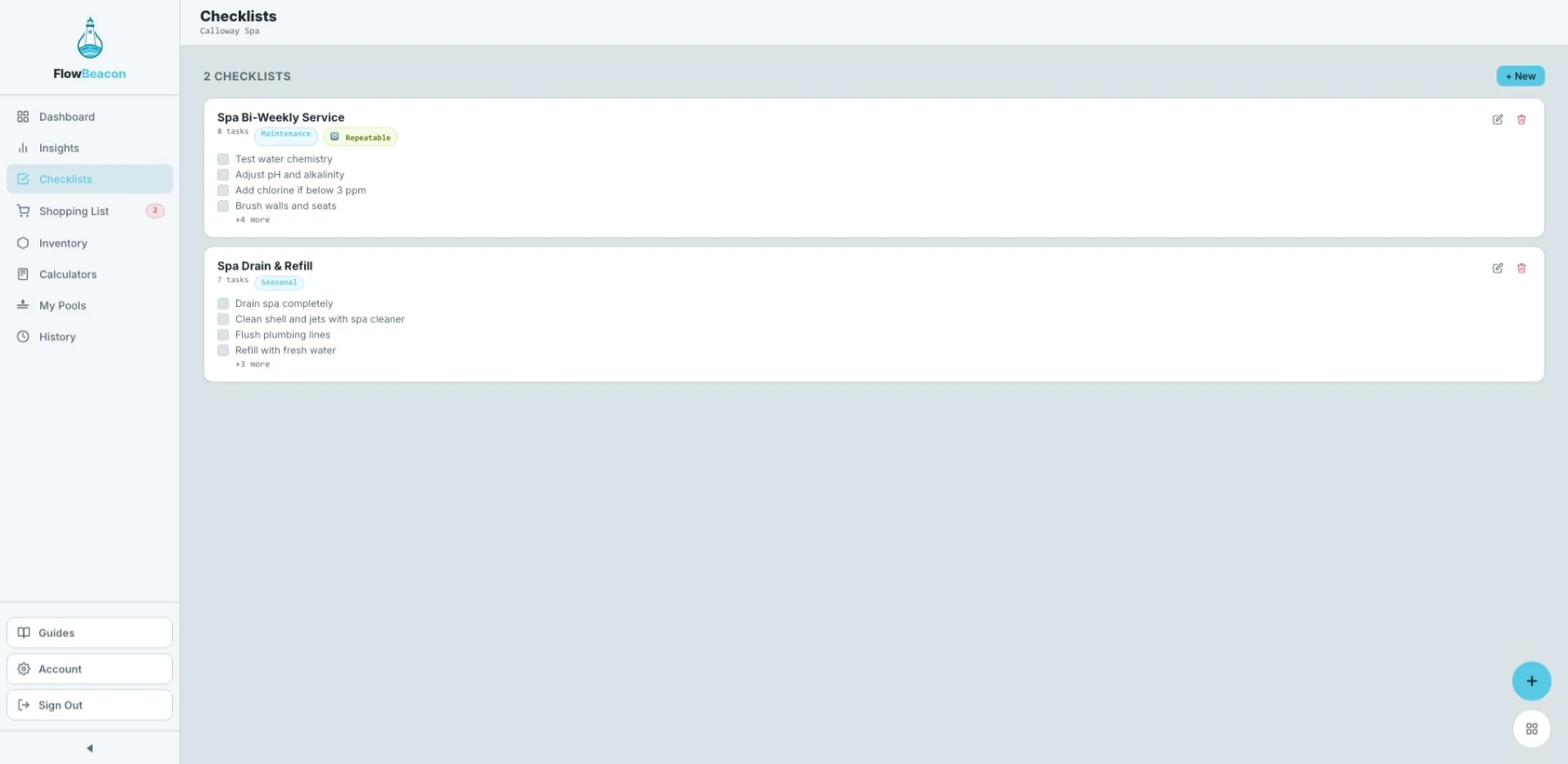
The Checklists screen shows you all of the checklists assigned to your currently selected pool. Each checklist is a set of tasks you can work through during a service visit — keeping your routine organized and consistent every time.
- Desktop
- Mobile
Your Checklists
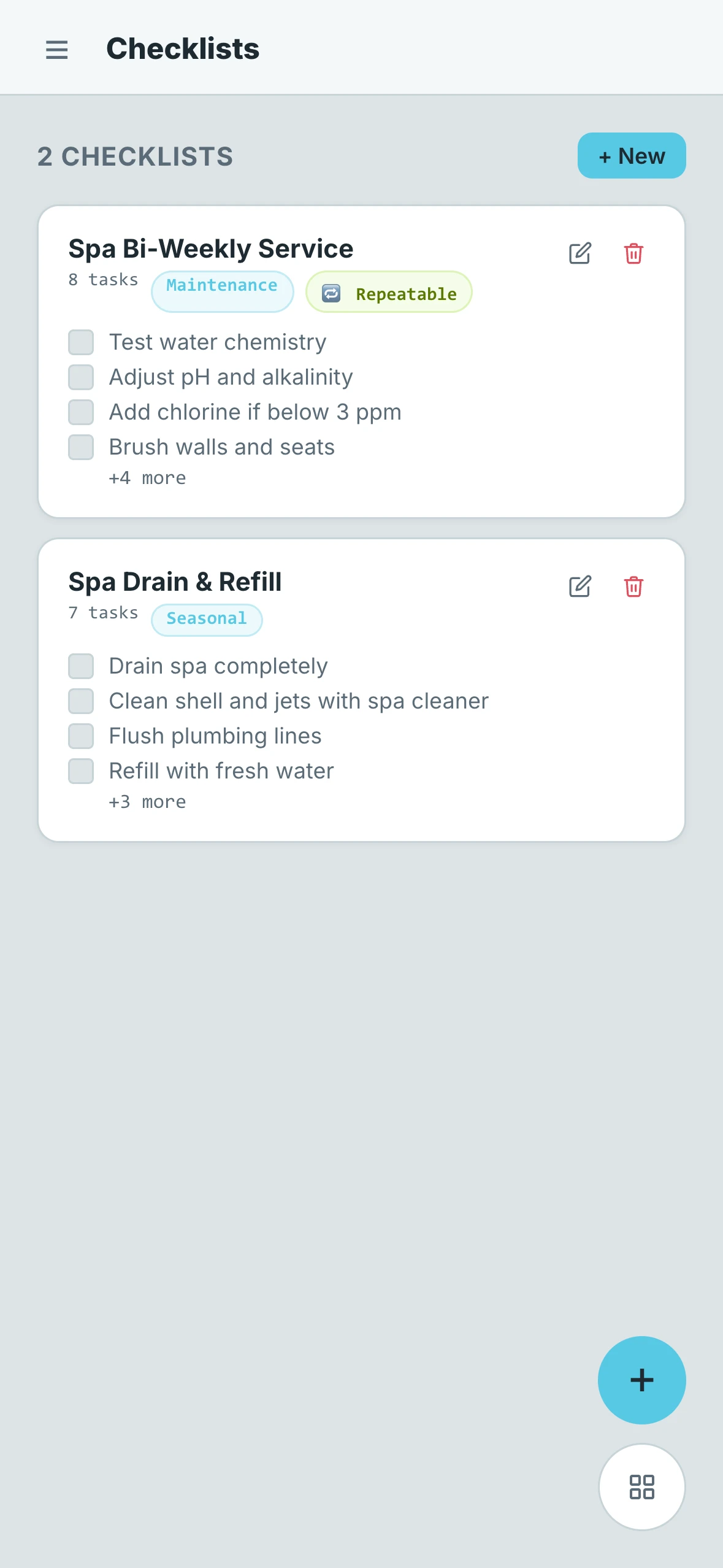
Each checklist card in the list shows you the following at a glance:
- Name — The title of the checklist
- Category — The type of checklist it is
- Task Count — The total number of tasks inside the checklist
- Repeatable — Whether or not the checklist can be reused after completion
- Edit & Delete buttons — Quickly update or remove a checklist
To keep things tidy, each card also shows a preview of the first four tasks in the checklist so you know what to expect before opening it.
Opening a Checklist
- Desktop
- Mobile
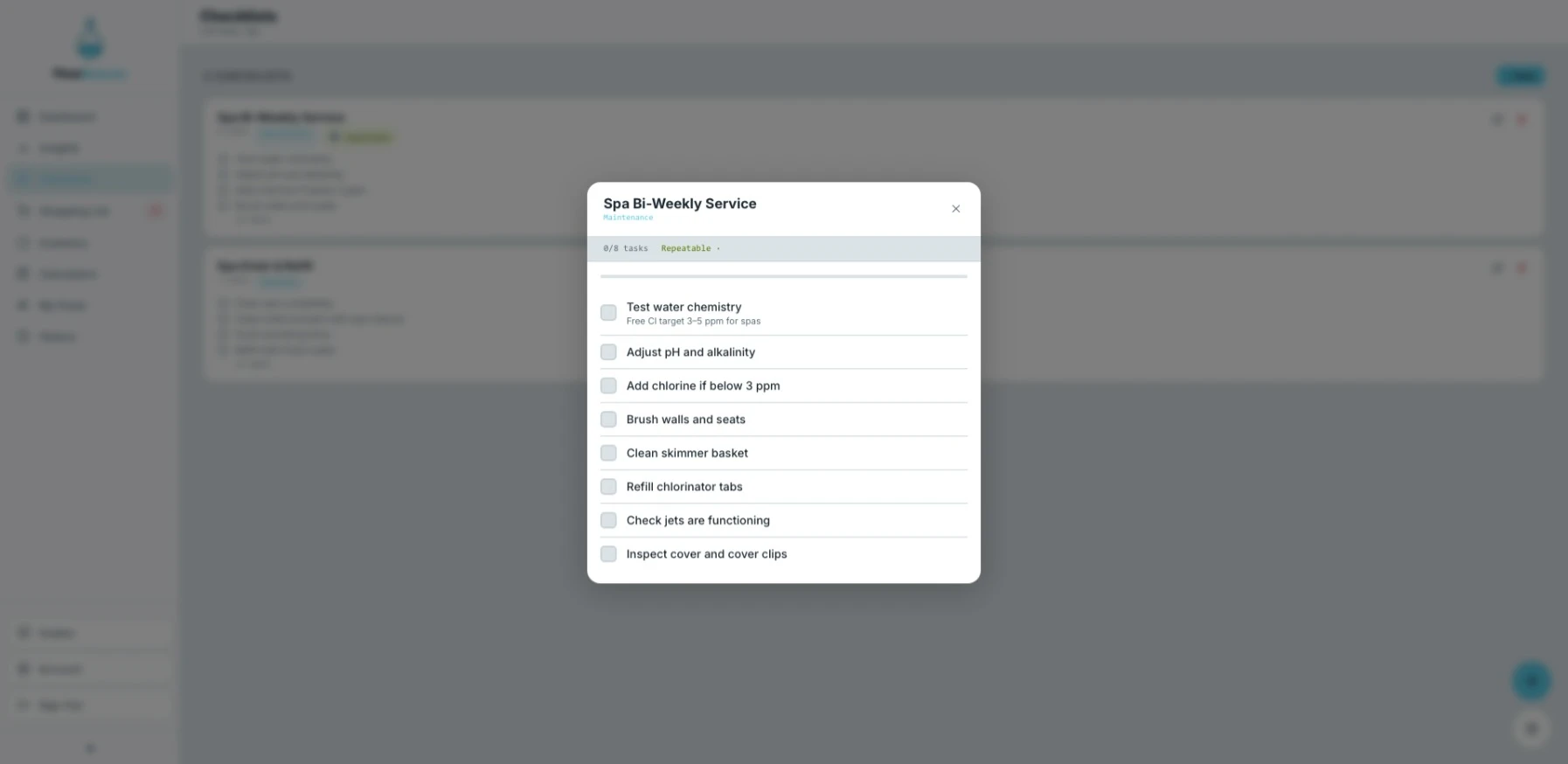
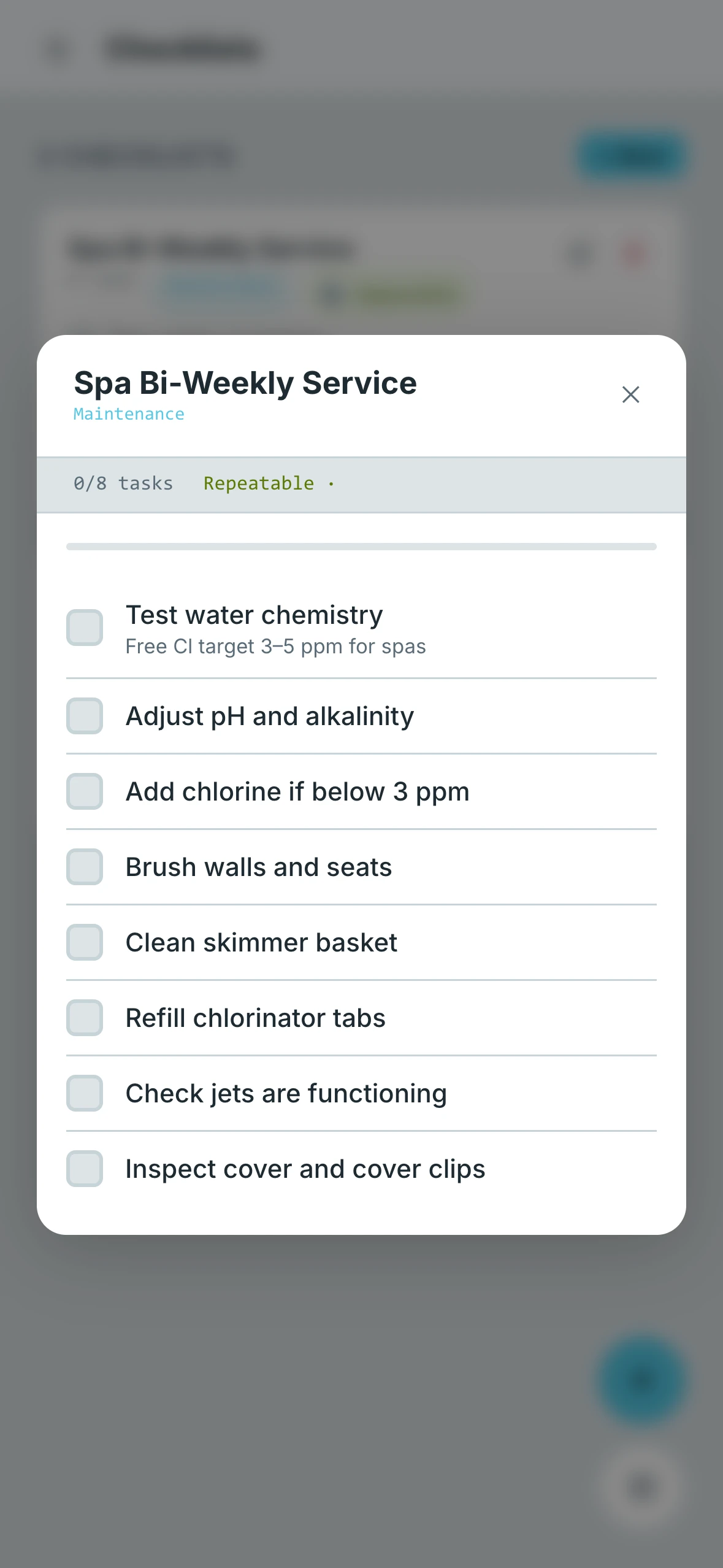
Tapping on any checklist opens a detailed view where you can see every task inside it. From here you can check off each task as you complete it. If a description was added to a task when the checklist was created, it will appear beneath the task name to give you more context on what needs to be done.
Repeatable Checklists
Checklists can be set up to repeat automatically after a cooldown period. Once you complete a repeatable checklist, a timer starts. When the cooldown expires, the checklist becomes available to use again.
This is useful for pools that follow a set routine. For example, if a pool requires a specific service every week, you can set the cooldown so that by the time the next service day arrives, the checklist is ready and waiting. This removes the need to manually reset anything — FlowBeacon handles it for you.