Creating & Editing a Checklist
Whether you are building a brand new checklist or updating an existing one, the form works the same way. Tap the edit button on any checklist to modify it, or create a new one from scratch. Each checklist is made up of a few key fields and as many tasks as you need.
- Desktop
- Mobile
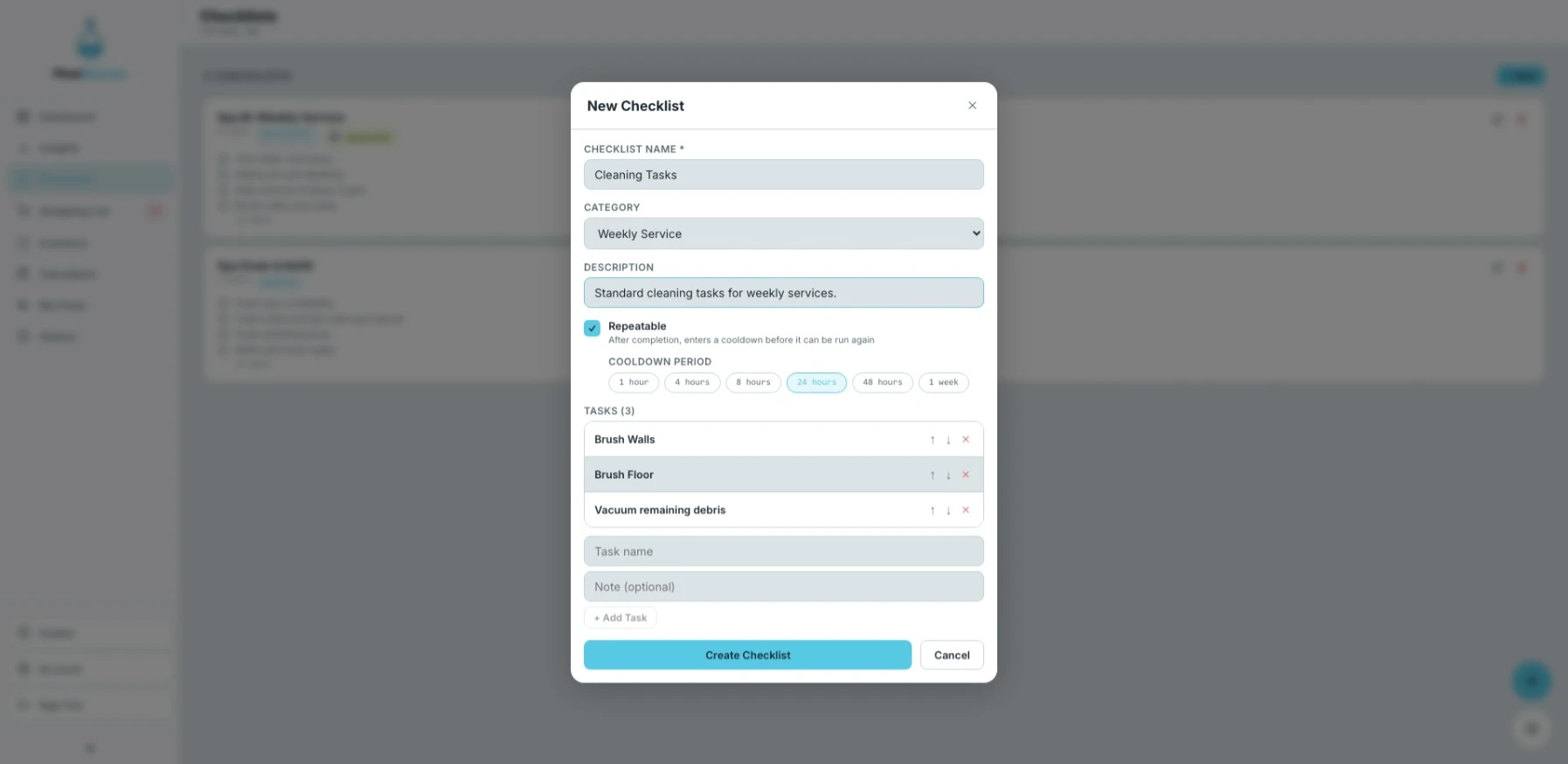
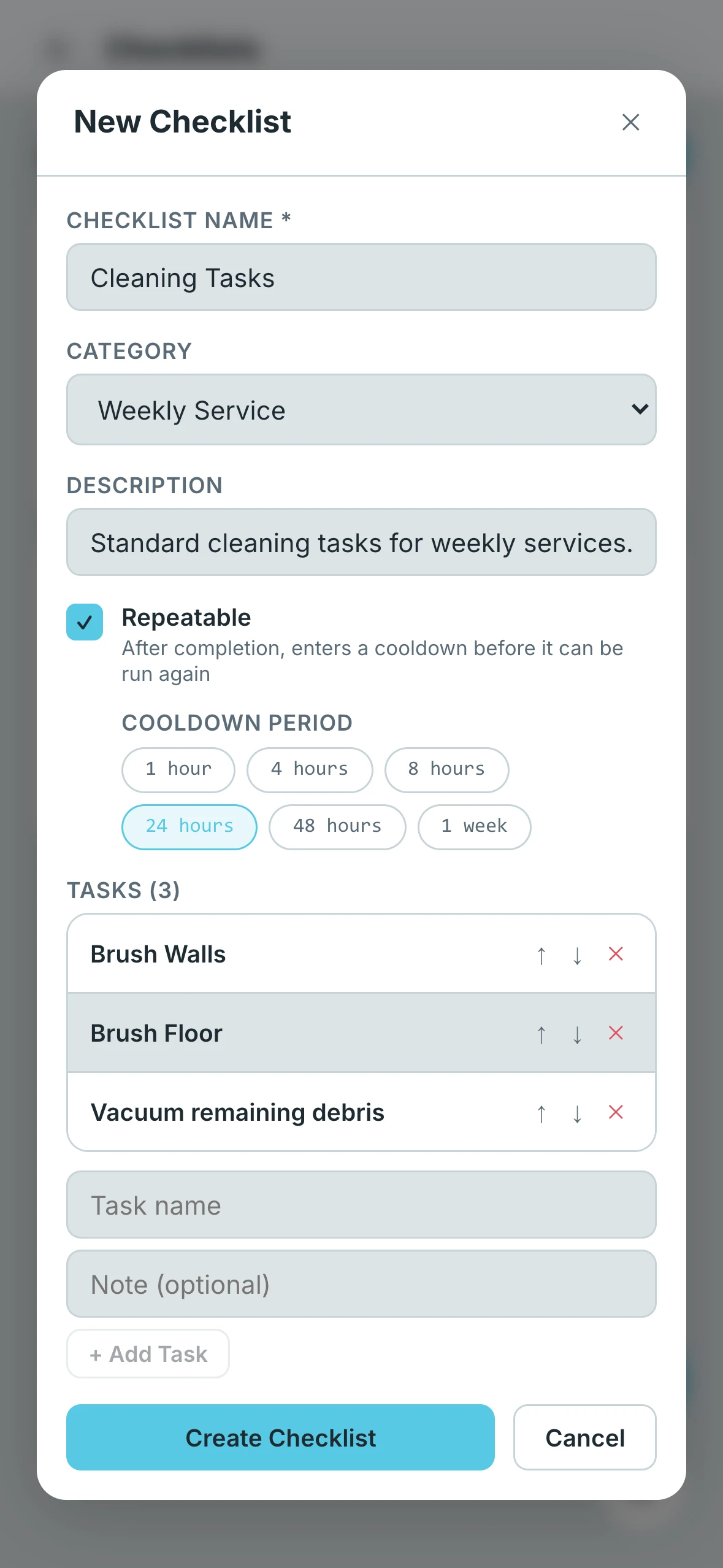
Name
Every checklist needs a name. This is what appears on the Checklists screen and helps you quickly identify what the checklist is for. Keep it clear and specific — for example, "Weekly Chlorine Check" is more useful than just "Weekly."
Category
Categories help you organize your checklists by the type of service they cover. Choose the one that best fits the purpose of the checklist. The available categories are:
- Weekly Service — Tasks performed on a regular weekly schedule
- Monthly Service — Tasks that only need to happen once a month
- Opening — Steps for opening a pool at the start of the season
- Closing — Steps for winterizing or closing a pool
- Equipment Check — Inspections and checks on pumps, filters, heaters, and other equipment
- Chemical Service — Chemical treatments and adjustments
- Other — Anything that doesn't fit into the categories above
Description
A description is optional but useful for adding context to the checklist as a whole. Use this field to explain the purpose of the checklist, any special instructions, or notes about when it should be used.
Tasks
Tasks are the individual steps that make up a checklist. You can add as many tasks as needed, and each task supports an optional note. Notes are great for adding specific instructions or reminders for a particular step — for example, a task called "Check filter pressure" might have a note that says "Backwash if pressure exceeds 10 psi above clean pressure."
Repeatable
Turning on the Repeatable option means the checklist can be used more than once. After you complete a repeatable checklist, a cooldown timer starts. Once the timer runs out, the checklist resets and becomes available to use again.
When enabling repeatable, choose the cooldown that matches your service schedule:
| Cooldown | Best For |
|---|---|
| 1 Hour | Same-day back-to-back services |
| 4 Hours | Commercial pools or spas that need multiple checks throughout the day during operating hours |
| 8 Hours | Properties that require a morning and end-of-shift check within a single workday |
| 24 Hours | Daily service schedules |
| 48 Hours | Every-other-day routines |
| 1 Week | Standard weekly service |